 HCP Noticias Desde Ushuaia, Tierra del Fuego, 102.1 Mhz FM. Para el Mundo Entero

Welcome to our guide on signing in to Need For Spin casino from Australia needforspins.eu. Whether you choose a computer browser or a mobile app, the account journey entails a few crucial steps: creating an account, confirming your identity, and safeguarding your login. In this post, we describe how account creation operates, what files you may need, how to access on multiple gadgets, and how to restore access if something goes wrong. We also discuss effective security measures that assist secure your account. The information here is sourced from typical online casino practices and the authorized Need For Spin casino pages, but you ought to always review the latest terms on the website. We also explain how to prevent frequent login mistakes and what to undertake if your account is blocked.
Qualification and Registration Prerequisites
Before you set up an account at Need For Spin casino, it is crucial to verify that you satisfy the basic eligibility requirements. In most cases, you have to be at least 18 years old, though some jurisdictions mandate players to be 21 or older. You also need to be a resident of a country where the casino accepts players. Australian residents can typically register with offshore operators, but we suggest checking the casino’s terms and conditions and the footer of the official website for the most up-to-date list of restricted territories. Creating an account with false details can lead to permanent closure, so always supply accurate information. The casino’s terms may also oblige you to affirm that you are not a politically exposed person or subject to sanctions.
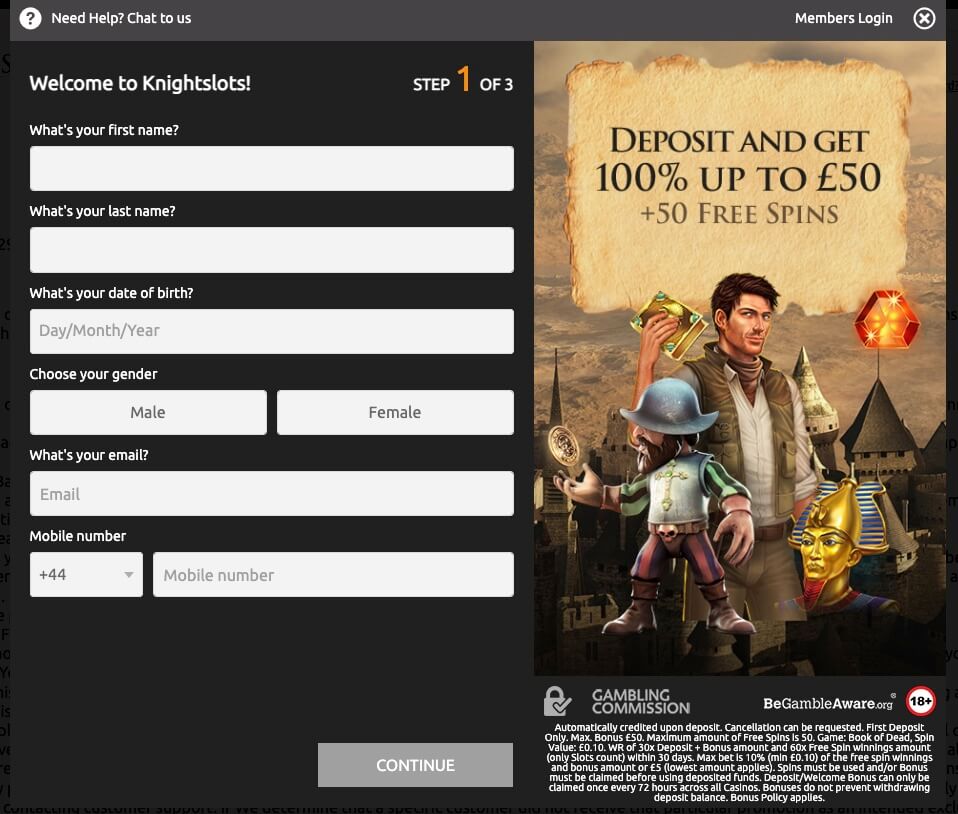
The registration process typically asks for your full legal name, date of birth, residential address, email address, and phone number. You may also be asked to pick a preferred currency. If Australian dollars are available, selecting AUD can enable you to prevent conversion fees when depositing and withdrawing. Some casinos also request a security question or a preferred username. We advise using an email address that you review regularly, because important account notifications, verification links, and password reset instructions will be sent there. You do not require to make a deposit to open an account, but you may be required to agree to the operator’s terms and privacy policy. Some forms also request a nickname or username that will be visible to other players, but this is optional.
In addition to personal details, you should prepare a stable internet connection and a device that can support a modern browser or the casino’s app. The registration form may feature an optional field for a bonus code. If you have a valid code from an official promotion, you can insert it during sign-up; otherwise, you can leave it blank. We also recommend reading the welcome offer terms before claiming any bonus, as wagering requirements and game restrictions often take effect. Once you submit the form, the casino may send a verification email or SMS to validate your contact details before you can log in. If you do not get the verification email within a few minutes, ask for a new one from the login page.

Restoring Your Password and Typical Login Difficulties
If you misplace your password, the recovery process is generally quick. On the login page, click the link labelled ‘Forgot password’ or ‘Reset password’. Provide the email address connected with your account and transmit the form. The casino will transmit a password reset link to that address. Check your inbox and spam folder, and follow the link within the time limit specified in the email, as these links often expire for security reasons. You will then be permitted to create a new password. Choose one that you have not used before on this site or any other service. If you do not get the email, pause a few minutes and check your spam folder again.
Several common issues can block a successful login. The most common is entering an incorrect email or password. Recheck for typos and ensure that caps lock is not on. If you have made too many failed tries, the casino may temporarily freeze your account. Hold a short time and retry, or reach customer support if the lock continues. Another common difficulty is a browser or app that has saved an old password. Removing saved passwords or updating the stored credentials can resolve this. Geo-restrictions can also stop login if you are travelling or using a VPN, so try turning off the VPN. If you are using a password manager, verify it has the correct updated password for the site.
Two-factor authentication can lead to login problems if you misplace access to your authenticator app or phone number. When you first enable 2FA, the casino generally provides backup codes. Keep these codes in a safe place, because they can be used to regain access if your primary method fails. If you do not have backup codes, get in touch with customer support. You will most likely need to confirm your identity by providing documents before 2FA is re-enabled. Never reveal your password, reset links, or one-time codes with anyone, including people claiming to be casino staff. Customer support can generally be reached by live chat or email, and response times vary.
Confirming Your Personal Details: KYC Documents and Steps
Know Your Customer (KYC) screenings are a standard part of online casino sign-up, and Need For Spin casino is no exception. These screenings enable the operator meet anti-money laundering rules and deter underage betting. You might be requested to verify your identification right after enrollment, ahead of your first payout, or once your cumulative payments hit a certain level. The exact timing differs, but it is best to get ready your files early so that cash-outs are not held up. Verification is usually a once-off procedure, though the casino might request updated paperwork if your individual data change. The casino’s privacy policy details how your paperwork are stored and secured.
The paperwork typically requested consist of a clear image of a official photo ID, like a passport or driver permit. You will also need to supply confirmation of domicile, which can be a latest utility statement, bank record, or official letter. The file should display your full identity and present domicile and be dated inside the last three months’ period. If you fund with a credit or debit card, the casino may request a photo of the payment method with the middle figures masked and only the ending four digits shown. Some casinos also require a selfie showing your ID to confirm that the document is yours you. Make sure the file is not invalid, as expired IDs are commonly declined.
You can generally submit these files through your account panel under a section named ‘Verification’ or ‘Documents’. After uploading, the checking process often takes from 24 and 72 time, but it can be longer during peak times. To prevent rejection, make sure the pictures are in focus, all four corners of the paperwork are displayed, and there is no glare or trimming. If a paperwork is rejected, the casino will detail why and require a new copy. Once confirmation is approved, you will be sent a verification email, and any cash-out constraints will be removed. If you require assistance, customer care can help you through the sending steps.
Accessing Your Account Through a Browser
Logging in to Need For Spin casino through a computer or mobile browser is straightforward. First, input the official website address directly into your browser’s address bar or use a bookmark you saved earlier. Steer clear of clicking on links in unsolicited emails or search engine ads, as these can lead to phishing sites. Once the page loads, look for the padlock icon in the address bar, which indicates a secure HTTPS connection. Then click the ‘Login’ button, usually found in the top right corner. Enter the email address and password you used during registration. Adding a bookmark for the official bleacherreport.com login page can help you avoid typos and phishing sites.
If you have enabled two-factor authentication, the casino will ask you to enter a code from your authenticator app or a code sent by SMS. Enter this code before it expires, then click the submit button. After successful authentication, you will be sent to your account lobby, where you can access deposits, withdrawals, games, and account settings. Some browsers offer to save your password. We recommend using this feature only on a personal device that is protected by a strong password or biometric lock. On shared or public computers, always reject the save option. Some browsers also offer a password manager that can autofill your credentials securely.
If your login attempt fails, first verify that you are using the correct email address and that caps lock is off. Passwords are case-sensitive. Clear your browser’s cache and cookies if the page does not load properly, and make sure your browser is up to date. If you are using a VPN, try disconnecting it, because some casinos block connections from certain regions. After several failed attempts, the casino may temporarily lock your account for security reasons. In that case, wait a few minutes or use the password recovery option, which we detail later in this article. If the problem continues, try using a different browser or device to isolate the issue.
Using the Need For Spin Casino App for Sign In and Playing
Need For Spin casino can be accessed on mobile devices through a regular browser, and the site should automatically adjust to fit smaller screens. Some operators also feature a specialized app for Android or iOS. If a native app is present, we suggest downloading it only from the official website or from the Apple App Store or Google Play Store. Avoid downloading APK files from third-party websites, as these can include malware. The app and the mobile browser version use the identical account, so you can switch between devices without creating a new profile. The mobile version should deliver the identical games and account features as the desktop site.
To log in using the app, open the app and tap the ‘Login’ or ‘Sign In’ button. Input the identical email and password you use on the website. If the app supports biometric authentication, such as fingerprint or face recognition, you may be able to turn on it after your first successful login. This feature accelerates future sign-ins, but it should only be used on a device that is secured with a passcode or biometric lock. If you forget your phone, anyone with access to the device could potentially open the app, so we recommend logging out when not in use. If you activate biometric login, you can usually deactivate it later in the app settings.
The app may present additional conveniences, such as push notifications for promotions or faster loading times, but it also demands storage space and regular updates. If you encounter login problems in the app, try closing and reopening it, clearing the app cache, or updating to the latest version. As a alternative, you can always log in through your mobile browser. Both methods provide the matching account features, including deposits, withdrawals, and customer support. Whichever method you select, make sure you are using the authorized Need For Spin casino platform and not a copycat site. Push notifications can be turned off in your device settings if you find them annoying.
Maintaining Your Account Protected: Two-Factor Authentication and Recommended Methods
We urge turning on two-factor authentication on your Need For Spin casino account. This security feature needs a second form of verification in addition to your password, such as a code from an authenticator app or an SMS message. Even if someone gets your password, they cannot log in without the second factor. You can usually enable 2FA in the account security settings after your first login. Choose an authenticator app rather than SMS if possible, because app-based codes are not vulnerable to SIM-swapping attacks. Store your backup codes in a secure location. Some casinos also permit you to set up security questions, but 2FA is stronger.
A robust, unique password is the foundation of account security. Use at least twelve characters, including upper and lower case letters, numbers, and symbols. Avoid common words, names, or sequences. Do not repeat the same password across multiple websites, because a breach at one site can expose your casino account. A password manager can help you create and store complex passwords securely. Modify your password immediately if you suspect any unauthorised access. The casino will never ask you to share your password by email or chat, so treat any such request as a phishing attempt. Avoid writing passwords on sticky notes or in unencrypted files on your computer.
Beyond passwords and 2FA, consider the device and network you use. Ensure your operating system, browser, and antivirus software up to date. Refrain from logging in over public Wi-Fi networks, which can be intercepted. If you must use public Wi-Fi, connect through a reputable VPN. Always log out after your session, especially on shared or borrowed devices. Track your account activity and transaction history regularly, and inform any unfamiliar actions to customer support. Need For Spin casino may also offer responsible gambling tools such as deposit limits, session reminders, and self-exclusion. Employing these tools can help you stay in control. If you notice any suspicious activity, change your password immediately and contact support.
Complete Registration through the Website
To sign up through a browser, first visiting the official Need For Spin casino website. Find a button labeled ‘Sign Up’, ‘Register’, or ‘Join Now’, typically found in the top right corner of the homepage. Tapping this button displays the registration form. The first step often asks for your email address and a password. Choose a strong password that uses upper and lower case letters, numbers, and symbols, and avoid reusing passwords from other sites. Following entering these details, you could be prompted to confirm your password and select your country of residence. The password field may have a strength indicator; aim for a rating of ‘strong’ or better.
The next part of the form typically gathers your personal information, including your full name, date of birth, gender, and residential address. Ensure the address aligns with the one on your identification documents, because this is verified during verification. You will also need to provide a mobile phone number. Some casinos dispatch an SMS code to confirm the number immediately, while others employ it for account recovery later. At this stage, you can also choose your preferred currency and set any responsible gambling limits if the option is available. If the form requests a middle name, enter it exactly as it appears on your ID.
After finishing all required fields, read over the terms and conditions, privacy policy, and any responsible gambling statements. You could be required to tick a box to confirm that you meet the age requirement and that you acknowledge the rules. Then press the final submission button. The casino will usually send a confirmation email to the address you provided. Access that email and click the activation link to verify your account. Once activated, you are able to revisit the website and log in using your new credentials. If you don’t get the email, examine your spam or junk folder. Some casinos further necessitate you to verify your phone number by entering an SMS code before the account is fully active.